Type all day?
Writers, developers, students, support teams: anyone who lives on the keyboard. See how much you really type, when you do your best work, and how this week compares with the last.
For Windows 10 and 11
A tiny, private keystroke counter. A calm widget shows today’s typing and pace; a simple dashboard shows your days and weeks. It starts with Windows, and anyone can use it in seconds.

Free for 30 days, then US$0.99 once.
Windows 10 (version 1809 or later) or Windows 11, 64-bit
Type anything. Watch it go.
A browser-only demo. It counts key presses on this page while it is open, the way the app counts them on your PC: each press is sorted into a group and the key itself is dropped. Nothing is stored and nothing is sent. Reload and it starts from zero.
How it works
A standard Windows keyboard hook tells TypeCount that a key went down.
It goes into one of four groups: typing, editing, navigation or a modifier.
One is added for this hour. Which key it was is discarded, and never written anywhere.
Windows does not let an ordinary app see typing into apps running as administrator, the lock screen or Windows security prompts, so those presses are not counted, and cannot be.
The dashboard
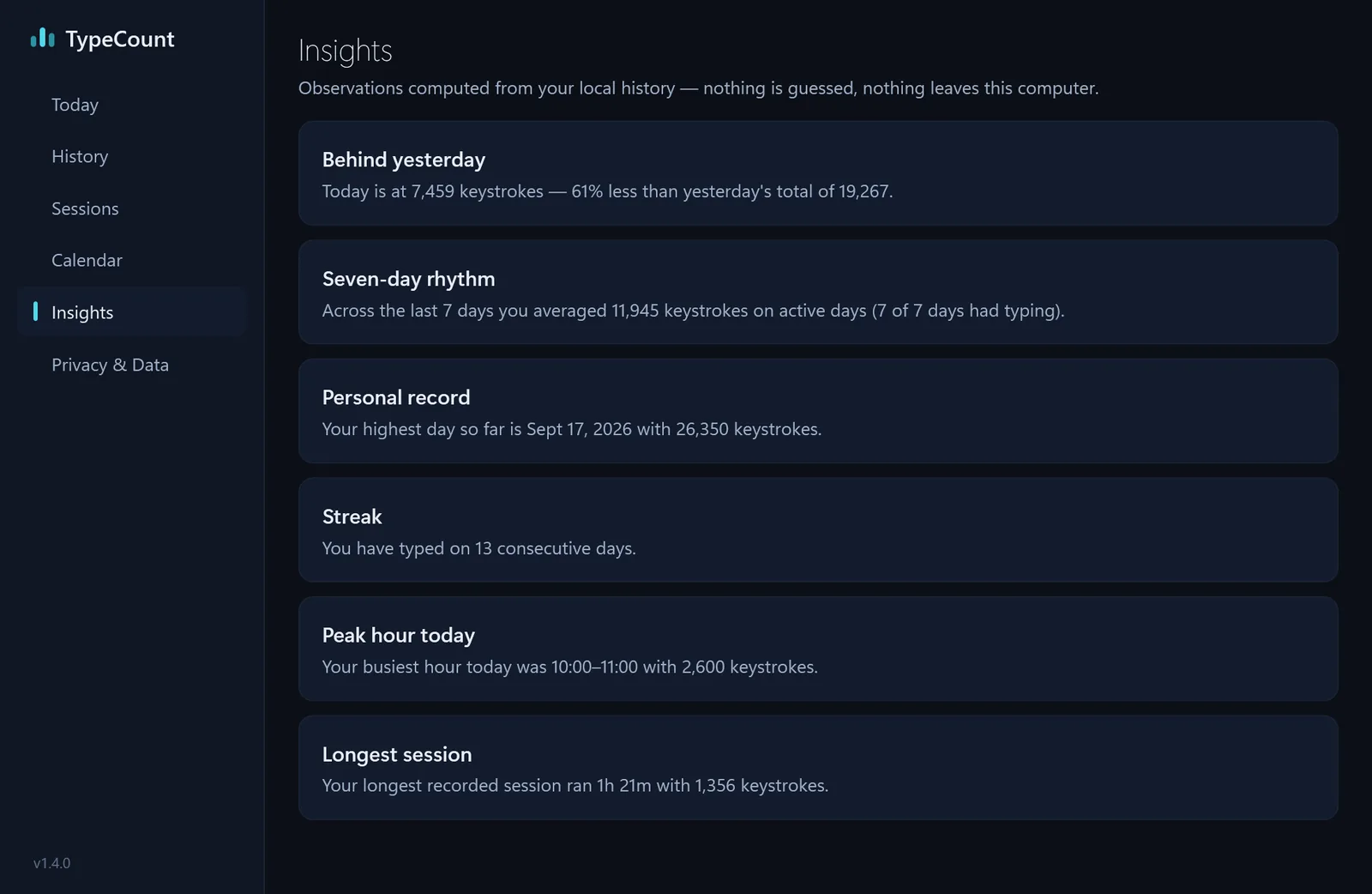
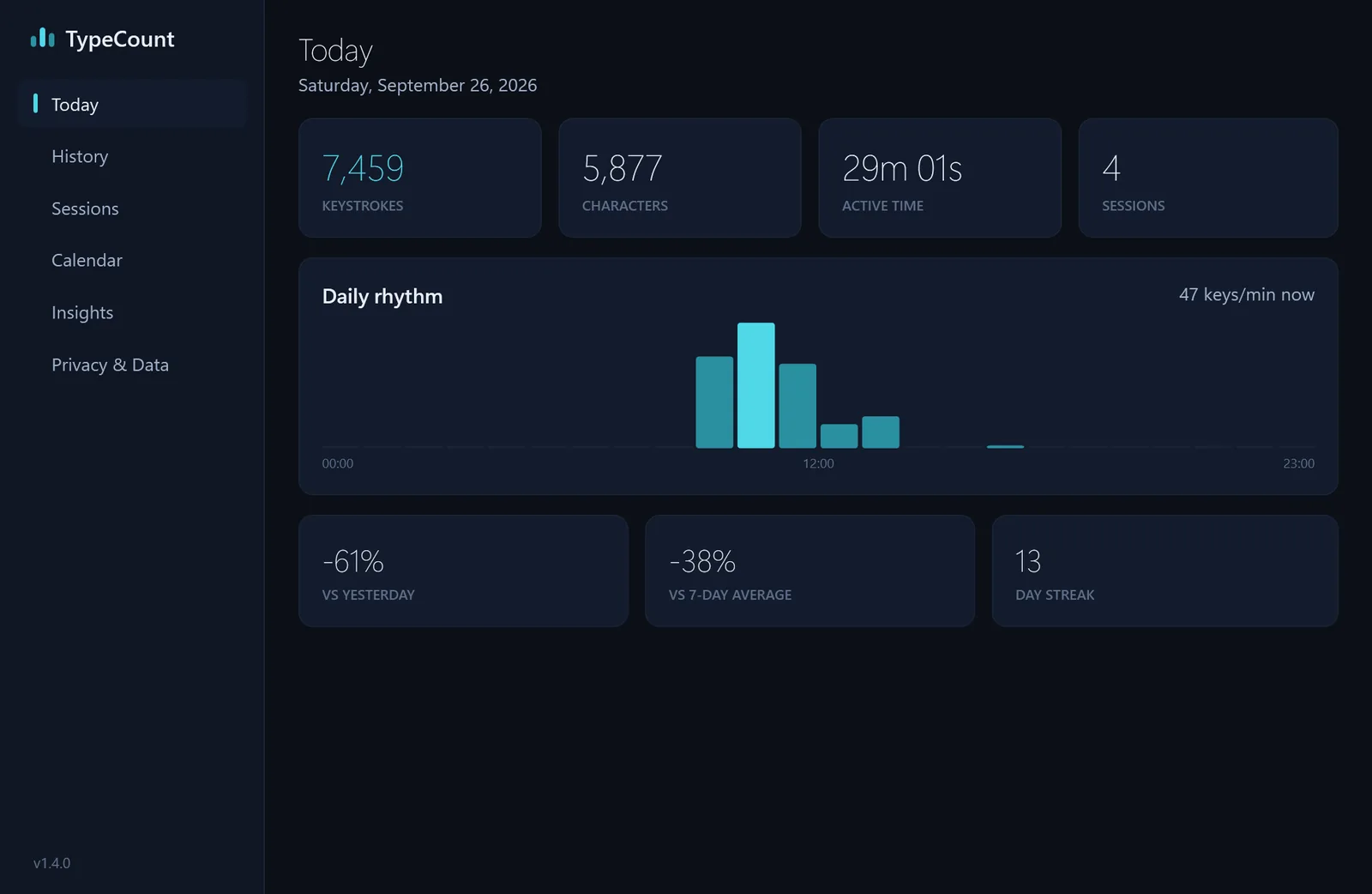
Open it from the tray icon. Every screen below is the real app, with demo data.
The widget
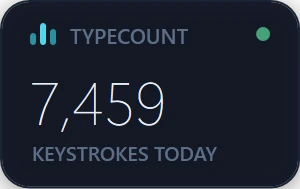
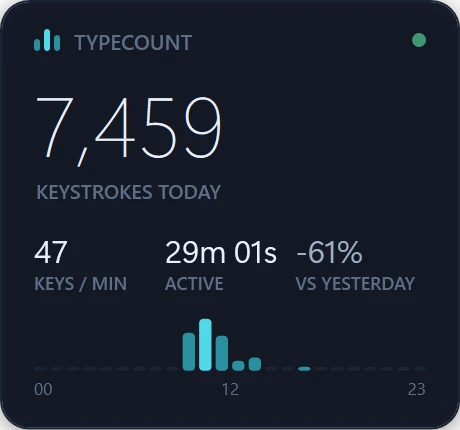
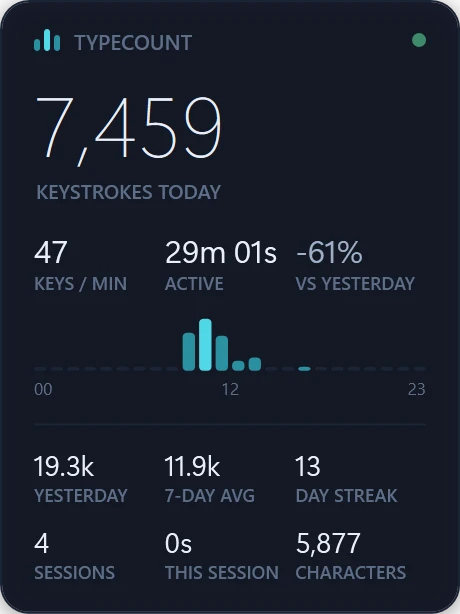
It stays on top, can fade when it covers a window, and goes wherever you drag it. Shown at the size the app draws them.
Who it is for
Writers, developers, students, support teams: anyone who lives on the keyboard. See how much you really type, when you do your best work, and how this week compares with the last.
Type as you normally would. The widget shows today’s count and your pace in keys per minute, and the dashboard shows how far you have come. No lessons, no pressure, no settings to learn.
Privacy
Export everything as CSV and JSON, or delete it all, from the Privacy & Data view. Read the privacy policy.
Why TypeCount
One number a day, and the shape of your week. Nothing about what you wrote.
No account, no cloud, no analytics, and the app makes no network connections at all.
It starts with Windows and sits in the corner. Open the dashboard when you are curious.
Everything is included for 30 days. Then one small price, once, through the Store.
Built for my own desk first, and kept honest by using it.
Forty seconds
Pricing
What people say
No reviews to quote yet. TypeCount reached the Microsoft Store on 29 September 2026; reviews appear on its Store page as people leave them, and the ones who agree to be quoted will be here.
Keystroke counting, answered
Install a keystroke counter such as TypeCount from the Microsoft Store; Windows itself has no built-in one. TypeCount starts with Windows, counts every key press in almost every app, shows today's total in a small widget, and keeps hourly, daily and calendar history in its dashboard.
Not TypeCount. A keylogger records which keys you press, so it can rebuild what you typed. TypeCount only adds one to a number when a key goes down: it never stores which key it was, any text or any window title, and it makes no network connections.
It depends on the work, and TypeCount shows you your own number. On its developer's PC it counted about 12,260 keys a day on average over 13 days in September and October 2026, and 23,549 on the busiest day, in 93 minutes of actual typing.
Yes. It needs no account and no internet connection. Everything it counts stays in one small file on your PC, and uninstalling removes it.
It is free for 30 days with everything included, then a one-time US$0.99 purchase through the Microsoft Store, charged in your own currency (₹74 in India). There is no subscription.
Questions
TypeCount counts your typing activity (keystrokes, characters, active time and sessions) and shows it in a small widget and a dashboard. It never records what you type.
The first 30 days are, with everything included and no card or account. After that TypeCount is one small, one-time purchase through the Microsoft Store, in your own currency. No subscription.
Press Buy TypeCount on the Today view or in Settings → License, or buy it from the Store page. It is a one-time purchase through the Microsoft Store, in your own currency, with no subscription and no account to create. Everything you counted during the trial stays.
Sign in to the Microsoft Store with the same Microsoft account and install TypeCount; your purchase is recognised automatically.
Purchases are handled by the Microsoft Store, so refunds follow Microsoft’s process: account.microsoft.com → Order history → Request a refund.
Settings → Start with Windows, or Windows Settings → Apps → Startup.
Windows Settings → Apps → Installed apps → TypeCount → Uninstall. Everything it stored is removed with it.
Right-click the TypeCount icon in the system tray (near the clock) and choose Show TypeCount. On multi-monitor setups it may be on another screen; showing it again brings it back into view.
It counts typing in almost every app. Windows does not let ordinary apps see typing into apps running as administrator, the lock screen or security prompts, so those are not counted.
Beta keys keep working: Settings → License → Activate.
Free for 30 days, then US$0.99 once.
Windows 10 (version 1809 or later) or Windows 11, 64-bit