Skip to content

Press kit

Writing about TypeCount?

The facts, the logo, real screenshots and the trailer, in one place. Everything here is free to use in coverage.

Logos, six screenshots and the trailer in one file

  • 0words stored, ever
  • 0network connections
  • 30days free
  • $0.99once, no subscription

Fact sheet

The short version.

Product
TypeCountA private keystroke counter: counts how many keys you press, never which ones
Platform
Windows 10 (version 1809 or later) and Windows 11, 64-bit
Kept
Counts and times only, on your PCKeys per hour and per day, active time and typing sessions, in one local file
Never kept
Which keys you pressNo words, passwords, window titles or screenshots, ever
Network
Makes no network connectionsNo account, no cloud, no ads, no analytics
Price
Free for 30 days, then US$0.99 once₹74 in India · charged by the Microsoft Store in local currency
Available
Microsoft StoreReleased 29 September 2026
Developer
Sudarshan BohraChennai, India
Ratings
None yetReviews appear on the Store page as people leave them
Website
typecount.app

The facts in sentences, to quote as they are

  • TypeCount is a private keystroke counter for Windows 10 and 11, made by Sudarshan Bohra in Chennai, India.
  • It counts how many keys you press, never which ones. It never stores your words, passwords, screenshots, or the names of your apps and windows.
  • It needs no account, uses no cloud, shows no ads and makes no network connections. The counts stay in one file on your PC.
  • It is sold only on the Microsoft Store, Store ID 9NW7ST1RGBGZ.
  • The Microsoft Store version is free for 30 days with everything included, then a one-time US$0.99 (₹74 in India). There is no free version after the trial.
  • TypeCount (typecount.app) is not the typecount.com word counter.

For accuracy

  • TypeCount is closed source. Its source code is not published, so it cannot be audited from outside.
  • There is no TypeCount account. Microsoft Store delivery, licensing and purchase are handled by Microsoft.
  • The screenshots and the trailer show demo data.
  • The 13 days of counts on the keystrokes per day page are one person’s, the developer’s own. They are not a customer benchmark, so please do not describe them as one.

Descriptions

Copy you can paste.

Short · 30 words

TypeCount is a private keystroke counter for Windows 10 and 11. It counts how many keys you press, never which ones, and shows the total in a calm desktop widget.

Long · 84 words

TypeCount is a private keystroke counter for Windows 10 and 11, made by Sudarshan Bohra in Chennai. It counts how many keys you press, never which ones: no words, passwords or screenshots are ever kept. A small widget shows today’s count and pace, and a dashboard shows hours, days, sessions and a six-month calendar. There is no account and no cloud, and it makes no network connections. It is free for 30 days on the Microsoft Store, then a one-time US$0.99 (₹74 in India).

I wanted to see how much I really type in a day without installing anything that reads what I type. So I built the one counter I'd trust: it counts the keys and forgets them.

Sudarshan Bohra, developer of TypeCount

Logos

The mark, as drawn in the app.

Four bars rising, the green live dot above the tallest. Please don’t recolour, stretch or add effects.

TypeCount app icon
App iconPNG 1024
TypeCount logo for dark backgrounds
Logo · dark groundsPNG 2400
TypeCount logo for light backgrounds
Logo · light groundsPNG 2400

Colours: navy #0B0F17 · cyan #4FD8E8 · teal #2A8FA0 · live green #59D89A. The app is set in Segoe UI Variable; this site in Manrope.

Screenshots

The real app, at full size.

Captured from TypeCount on Windows 11 at 1968 × 1282. The numbers in them are demo data.

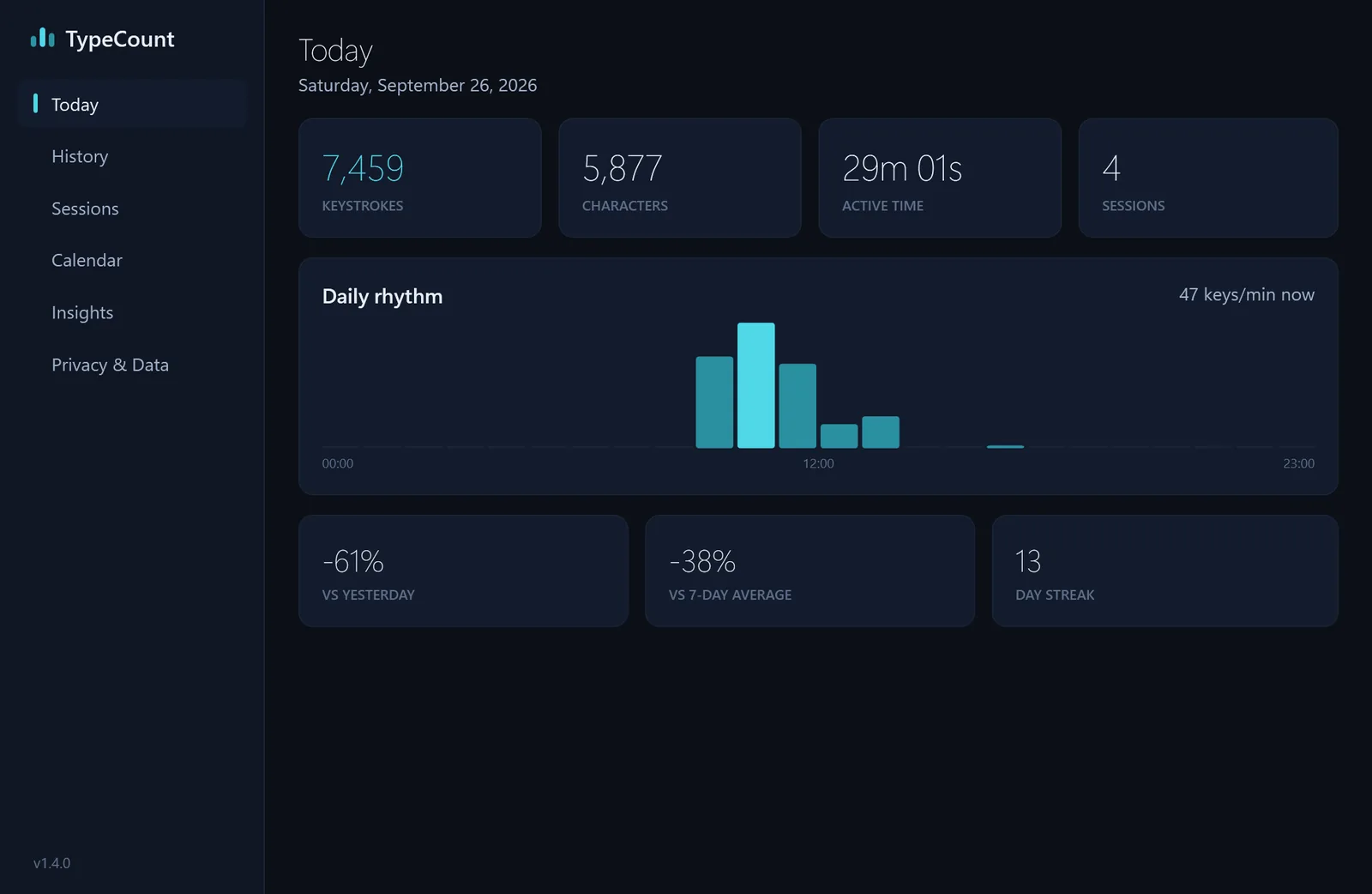
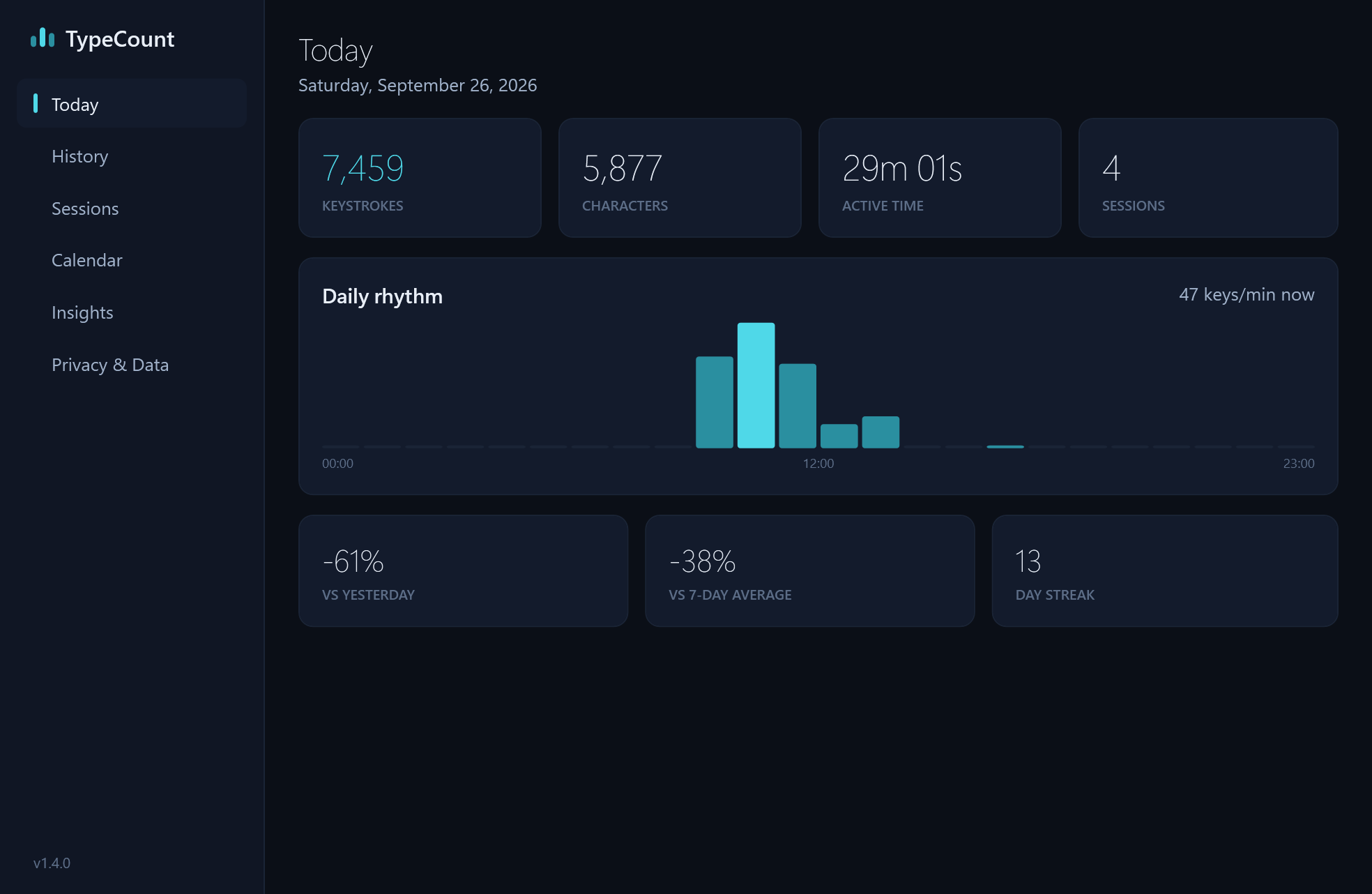
The Today view: 7,459 keystrokes, 5,877 characters, 29 minutes active, 4 sessions, and a Daily rhythm chart (demo data).
TodayDownload
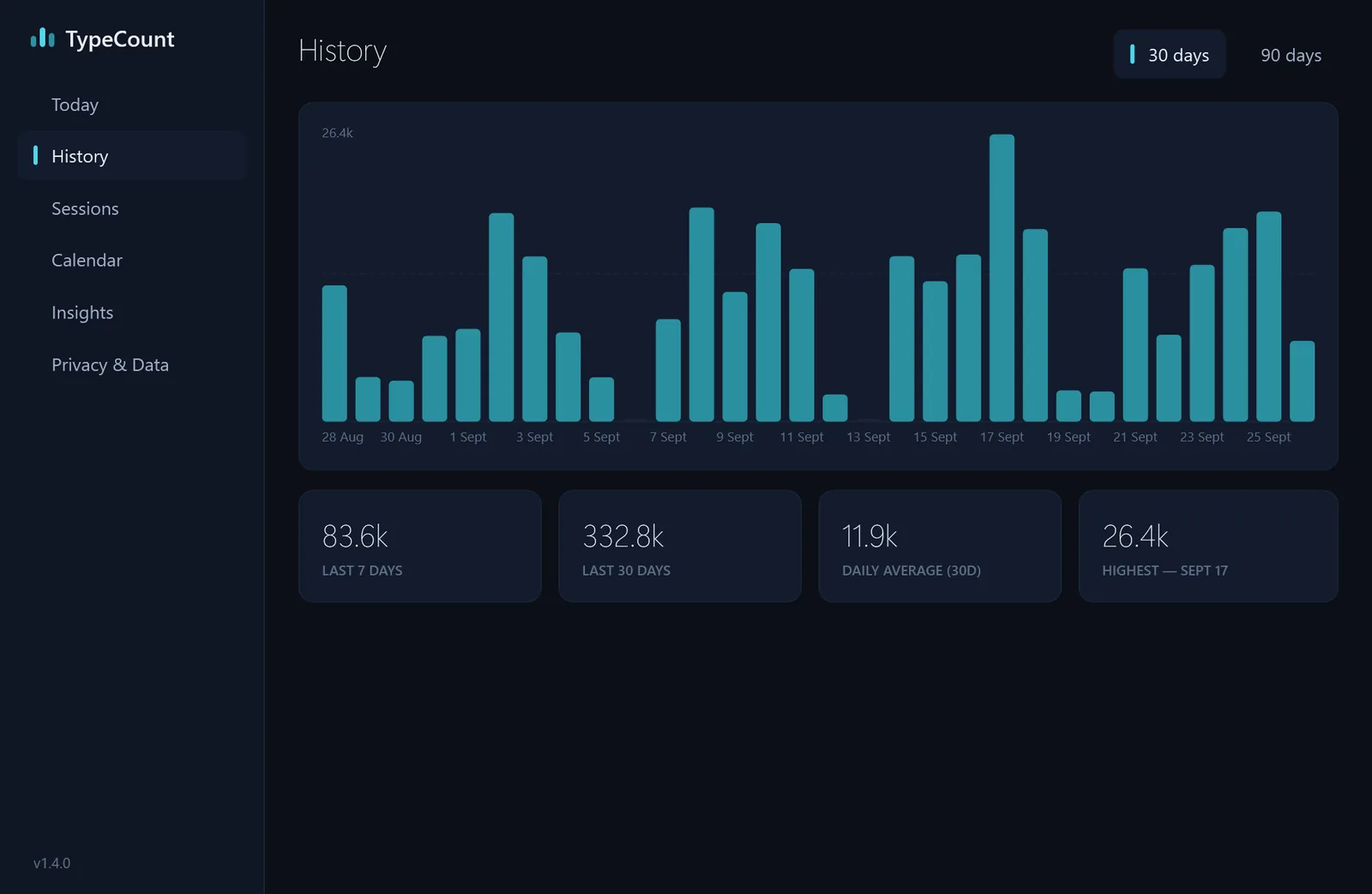
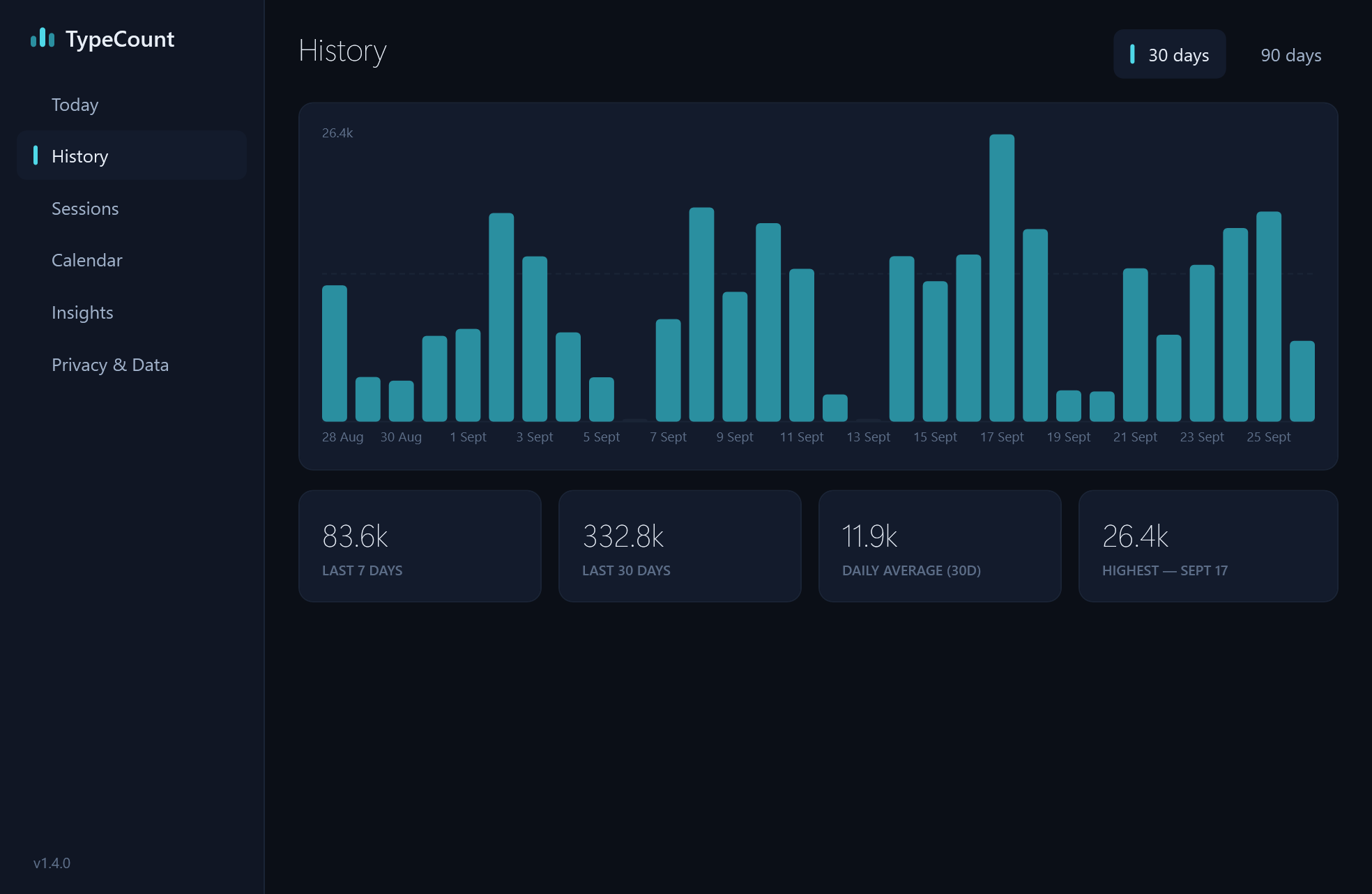
The History view: a bar for each of the last 30 days, with the totals beneath (demo data).
HistoryDownload
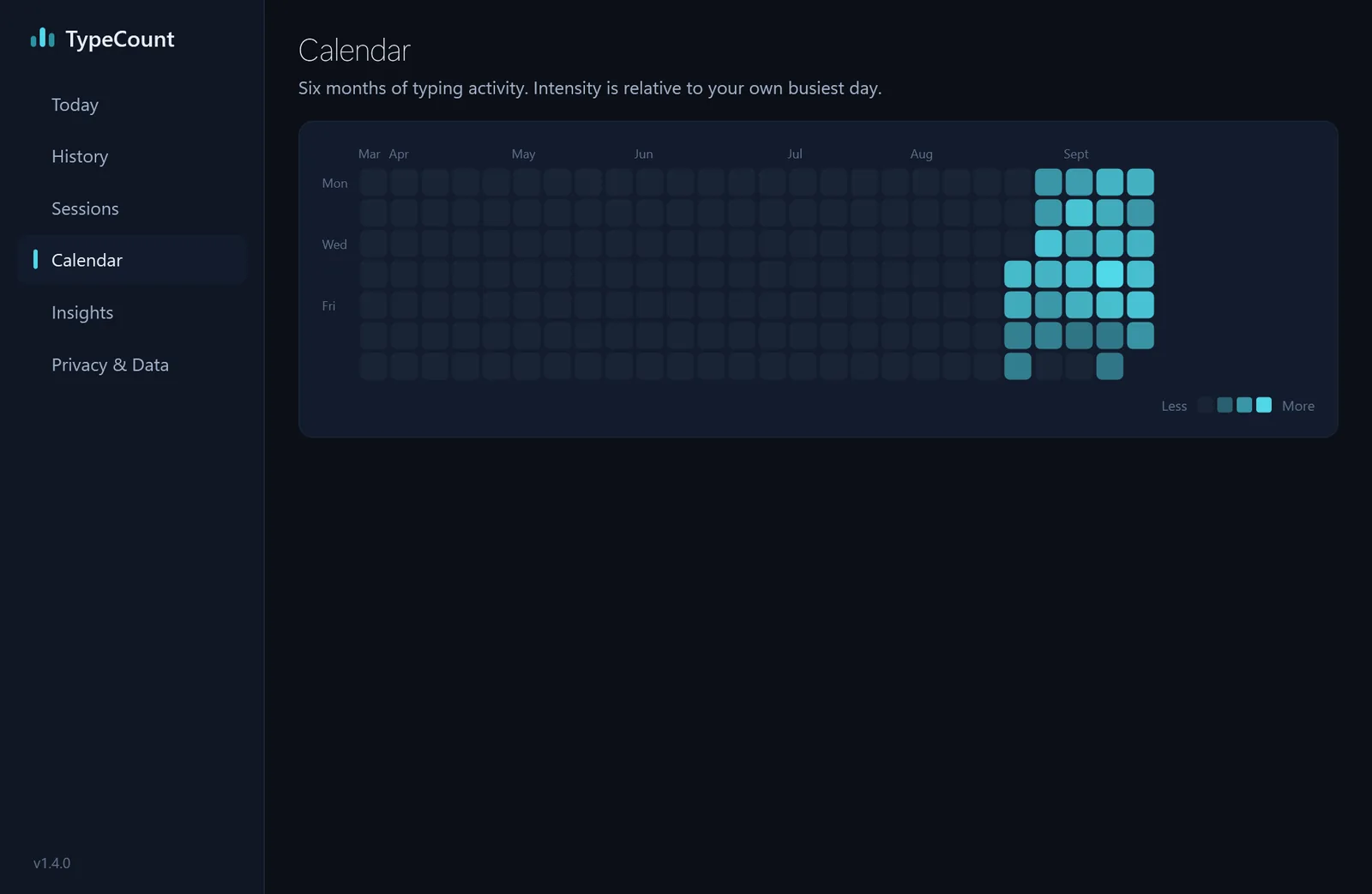
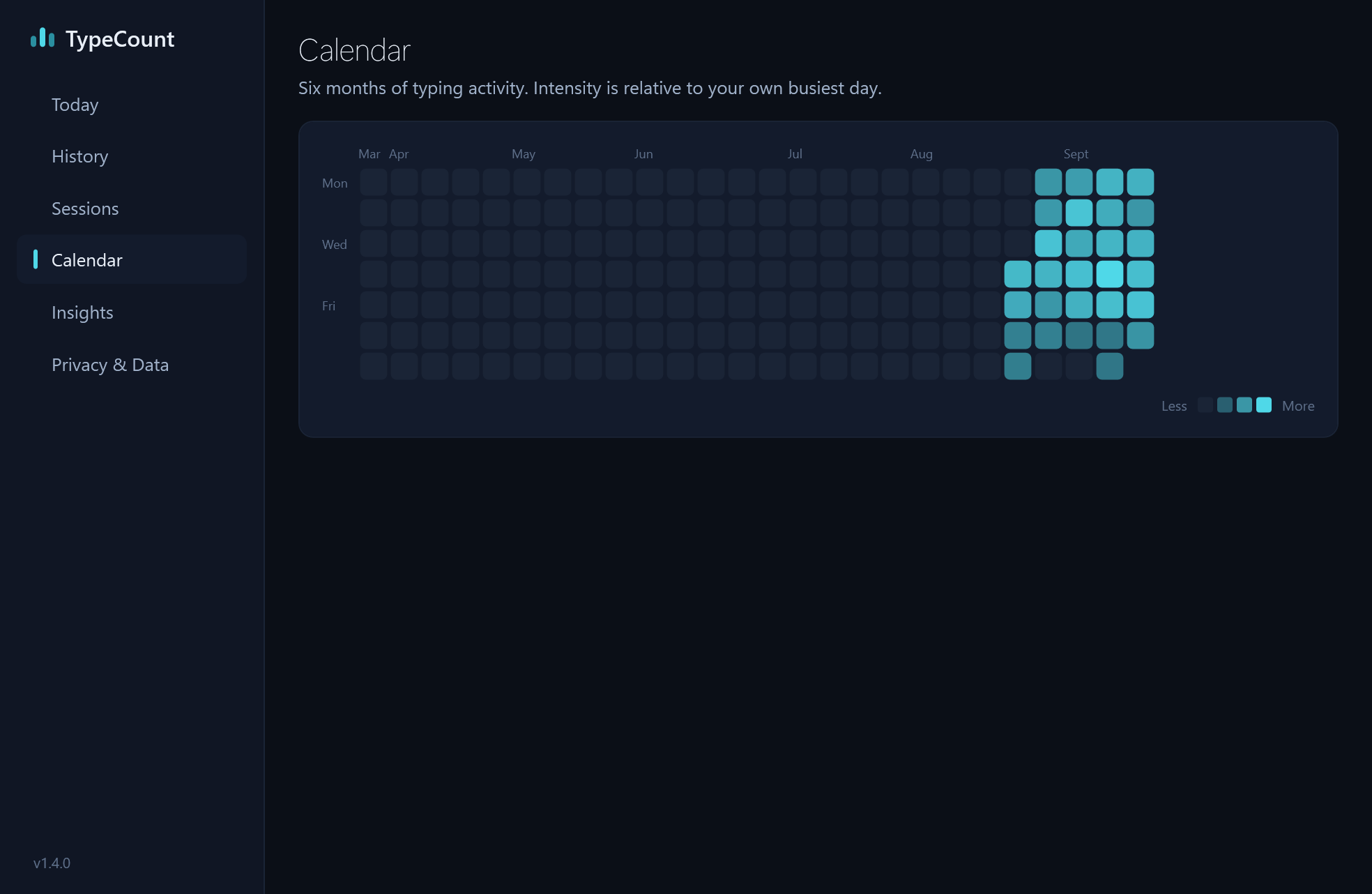
The Calendar view: six months of squares, the recent ones shaded by how much was typed (demo data).
CalendarDownload
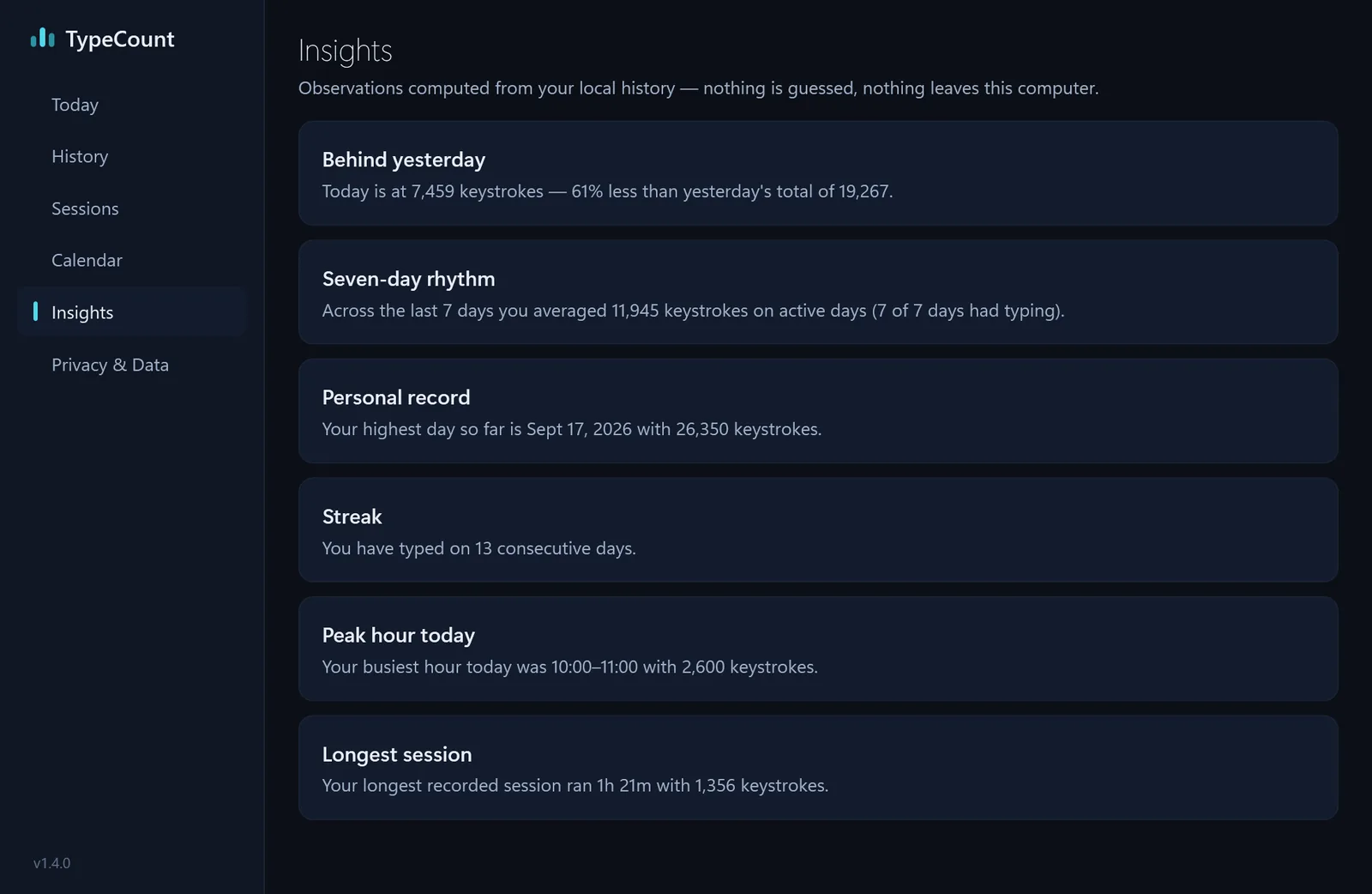
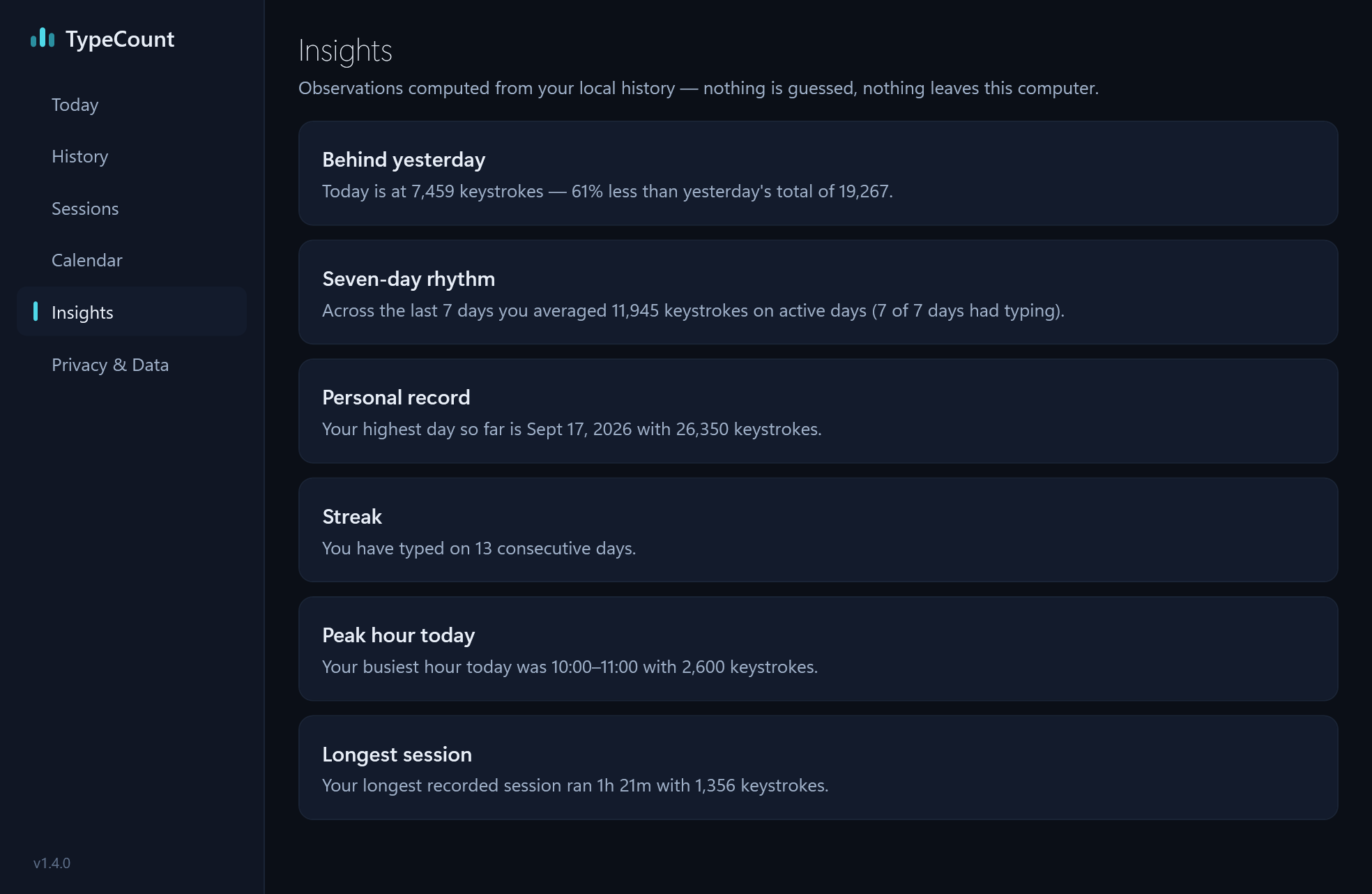
The Insights view: behind yesterday, seven-day rhythm, personal record, a 13-day streak, peak hour and longest session (demo data).
InsightsDownload
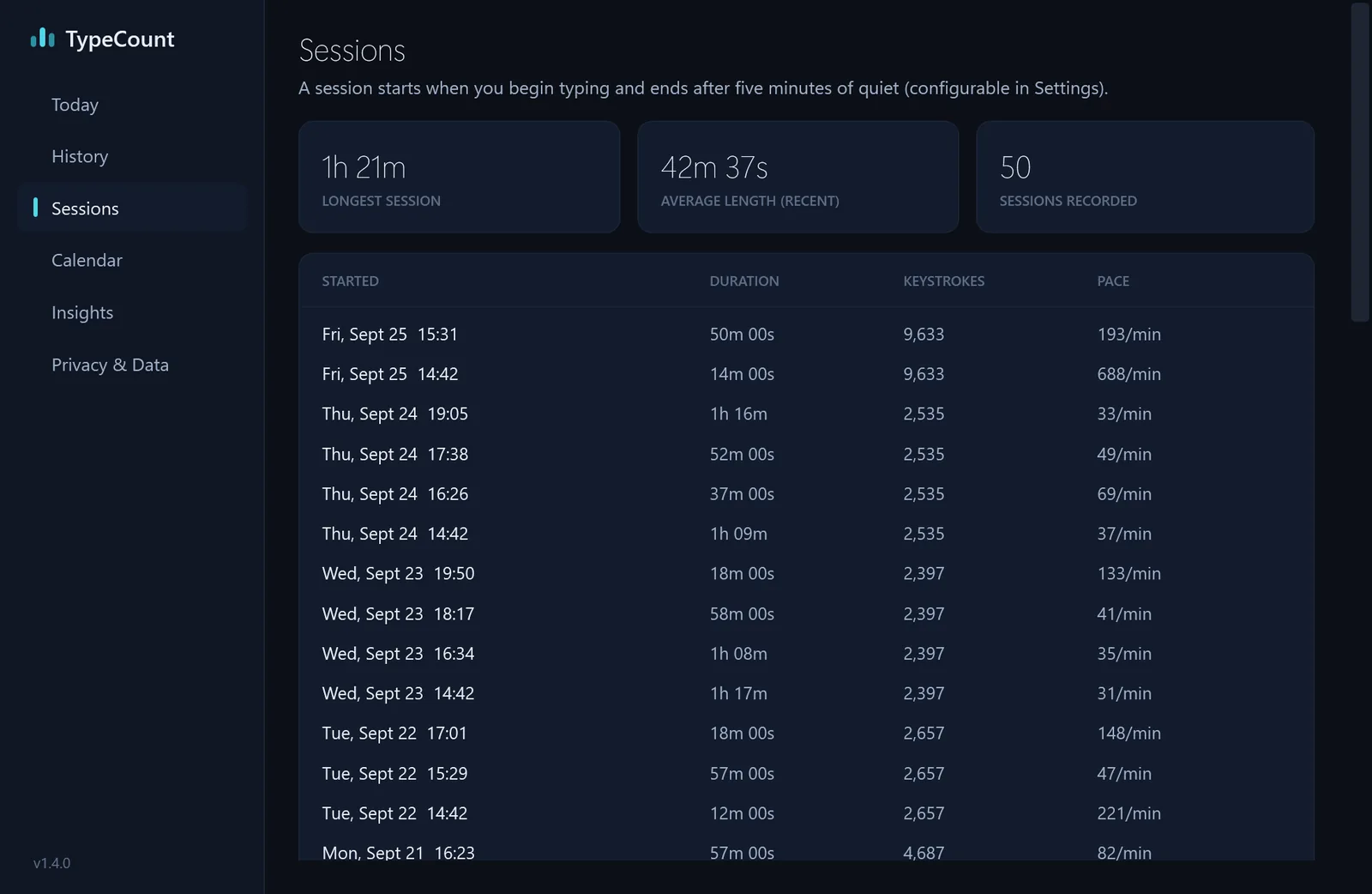
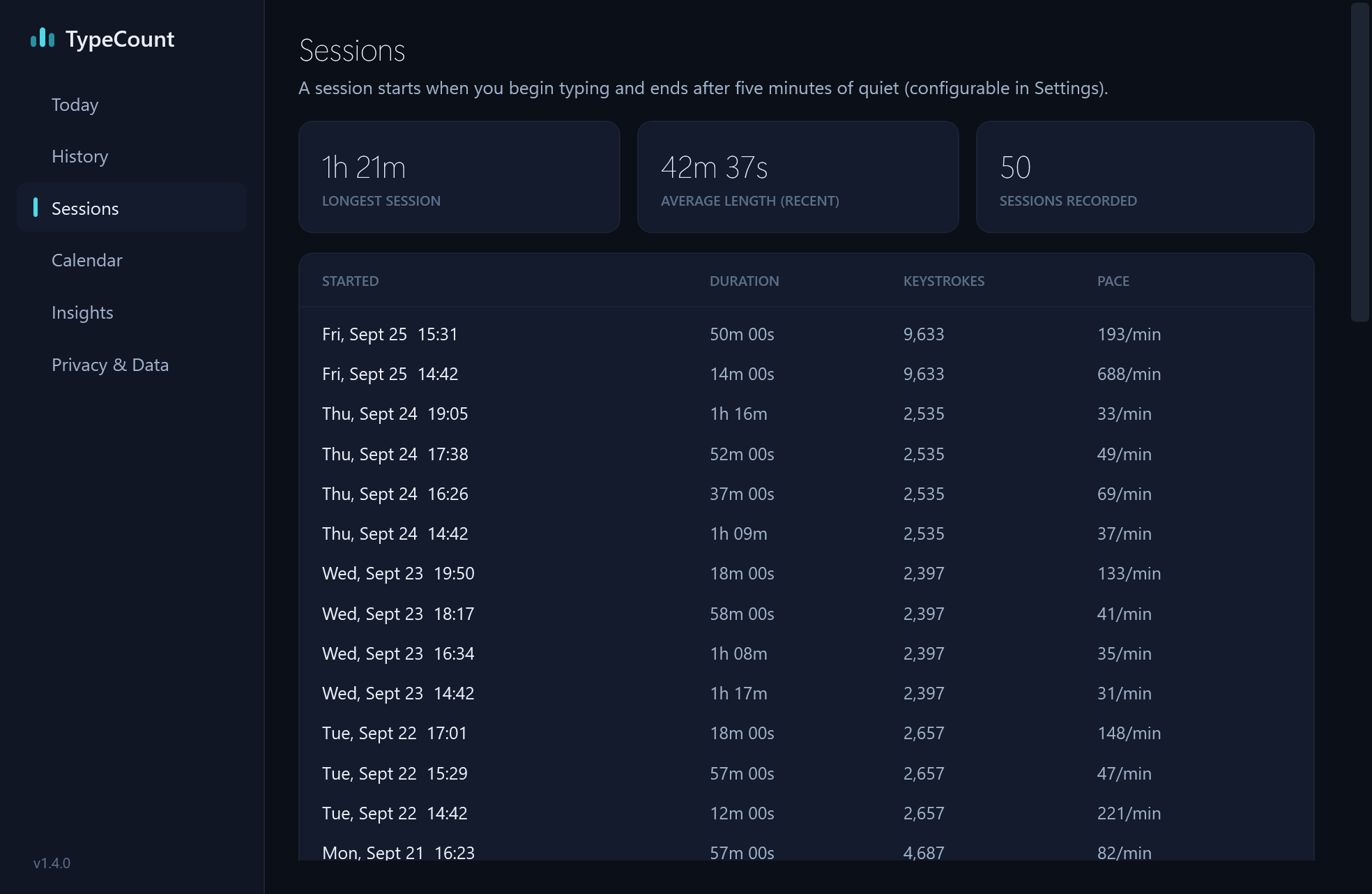
The Sessions view: a list of typing sessions with start times, durations and keystrokes (demo data).
SessionsDownload
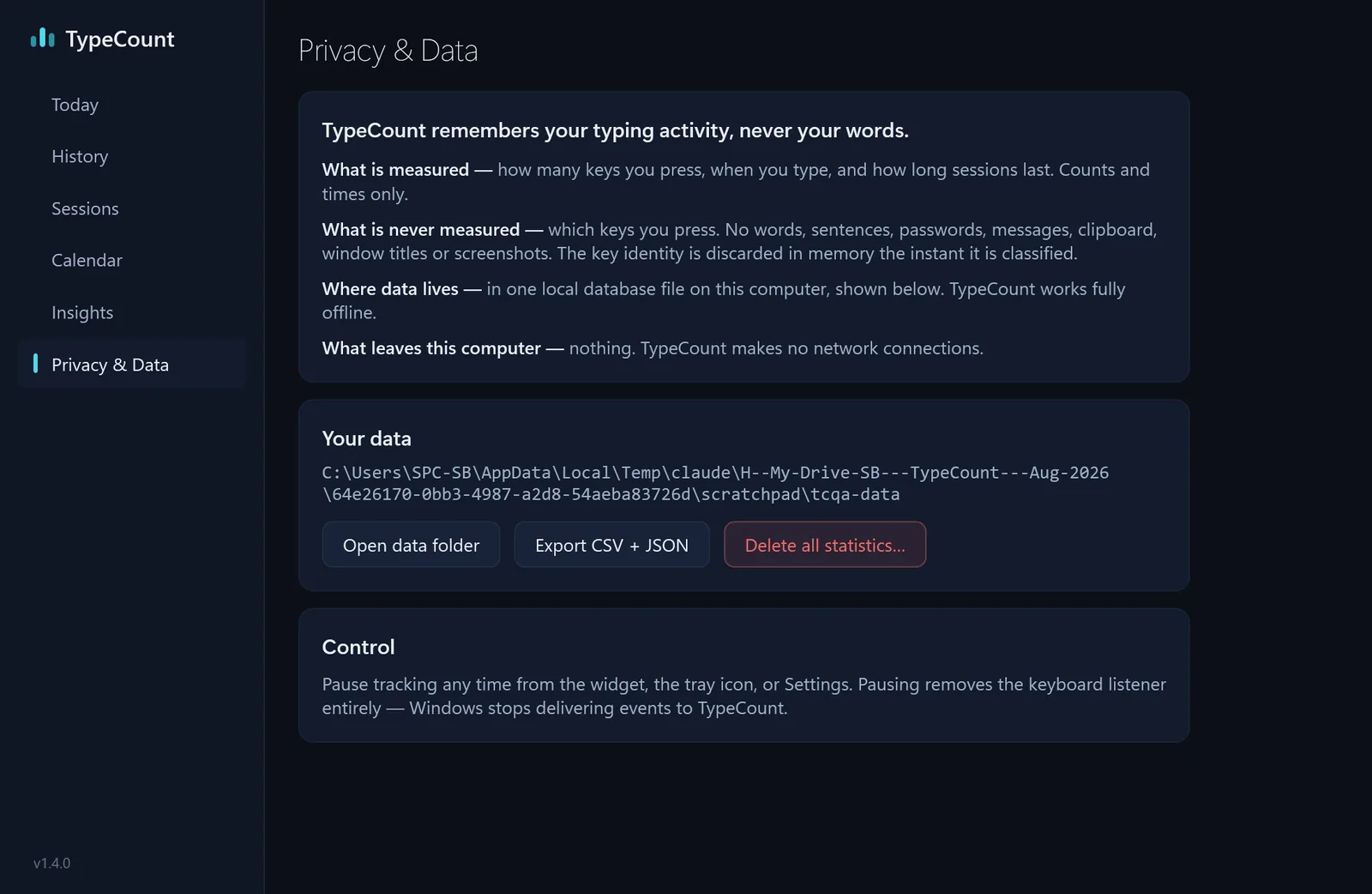
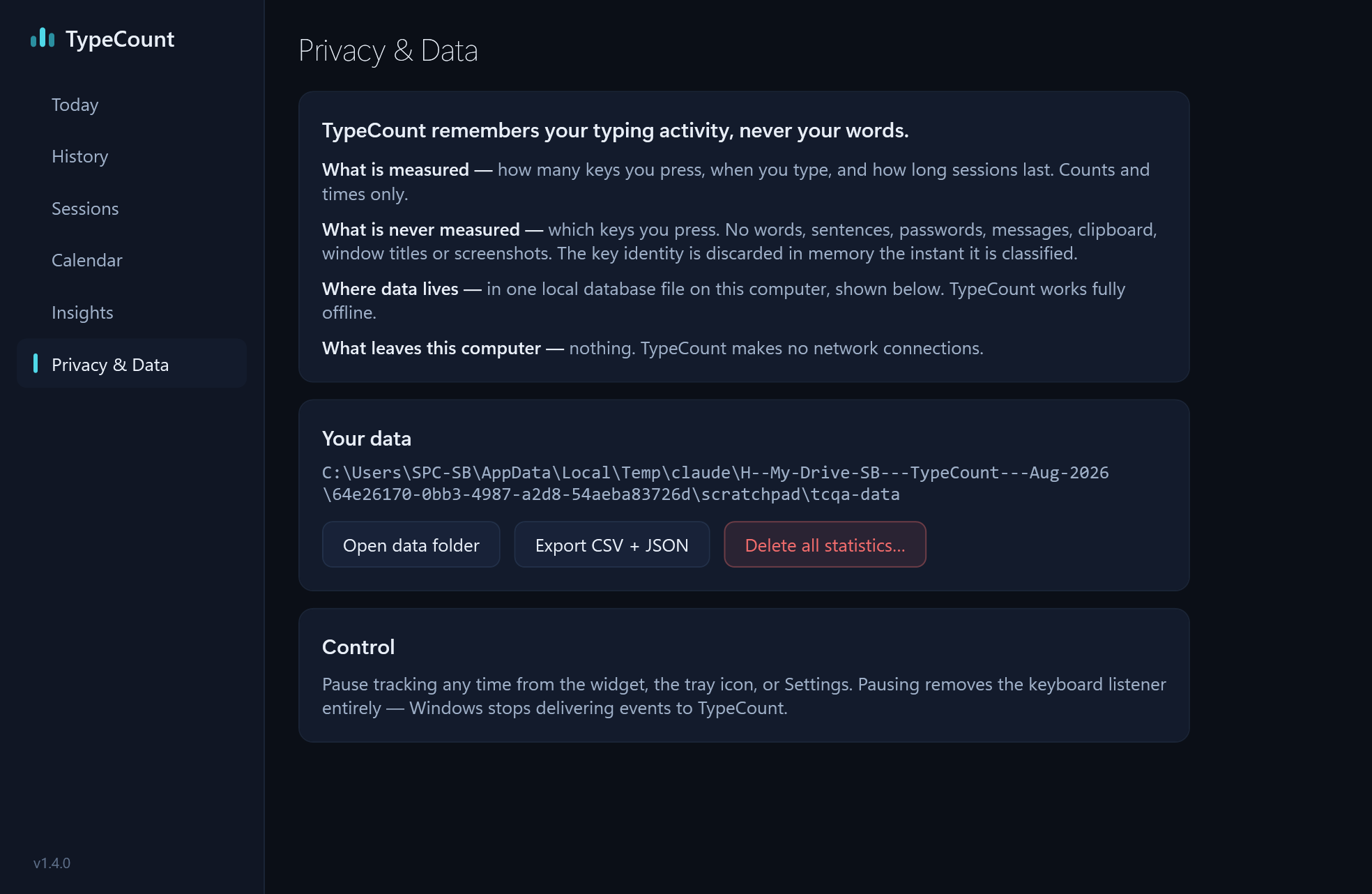
The Privacy & Data view: what is measured and what never is, the data folder, and Export and Delete buttons (demo data).
PrivacyDownload

Trailer

Forty seconds on a Windows desk.

1920 × 1080 · 40 seconds
H.264, MP4

The widget counting keys as they are pressed, the dashboard’s views, and what it never keeps.

Download MP4

Which TypeCount

Is TypeCount the same as typecount.com or the TypeCount project on GitHub?

No: typecount.com is an online word and character counter and the GitHub projects named TypeCount are open-source code, each made by someone else, while this TypeCount is the Windows keystroke counter on the Microsoft Store, Store ID 9NW7ST1RGBGZ.

Background for a story: 13 days of the developer’s own keystroke counts, with the method; what TypeCount stores, table by table; and a free online keystroke counter to try in the browser.

Contact

Questions, interviews or a review copy?

sudarshan.bohra1997@gmail.comSudarshan Bohra, developer

You may use these logos, screenshots, the trailer and the copy above in articles, reviews and videos about TypeCount. Screenshots show demo data. Windows and Microsoft Store are trademarks of Microsoft.

Try it before you write about it.

Every feature is open for 30 days, so you can review the real thing on your own PC.

Get TypeCount from Microsoft

Free for 30 days with everything included, then US$0.99 once (₹74 in India). No subscription.

Windows 10 (version 1809 or later) or Windows 11, 64-bit

Counts how many keys, never which. No account, no cloud, no network connections.